How do I edit, skip, or reschedule a recurring order?Updated 3 months ago
To edit your recurring order:
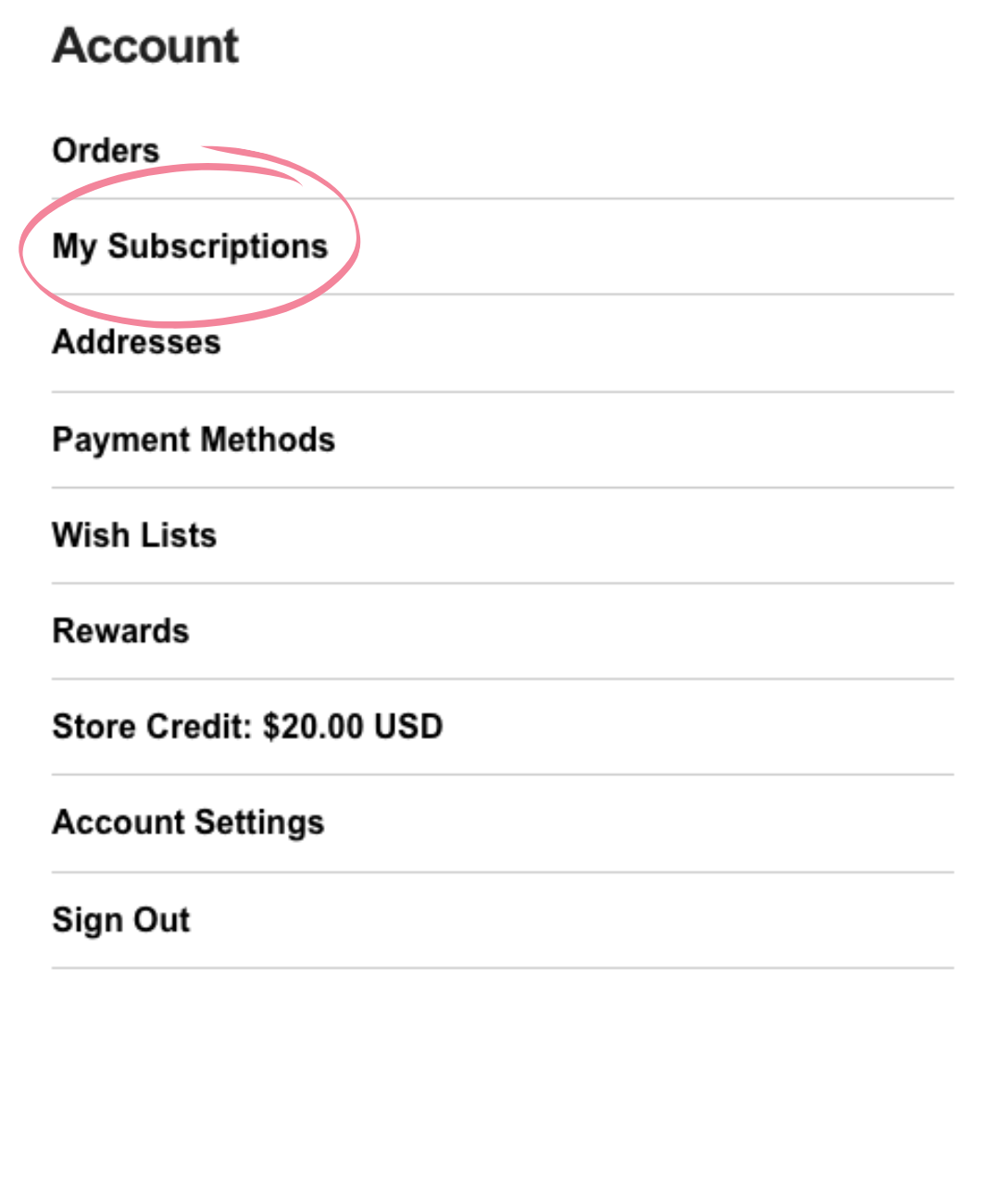
- Sign in to your account and scroll to "My Subscriptions".
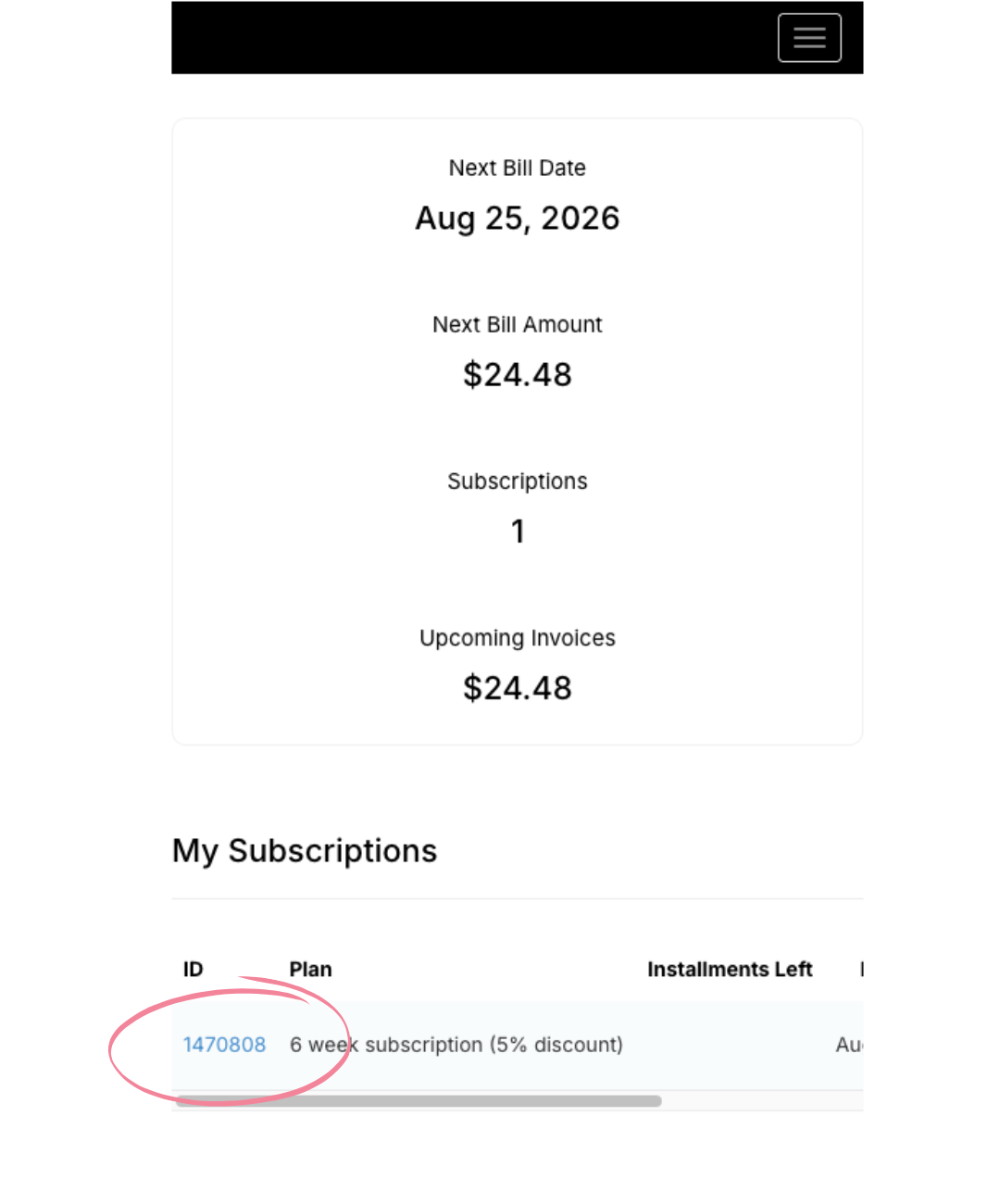
- Once in the subscriptions tab scroll down to the section called "My Subscriptions". Click the link of the subscription you'd like to edit.
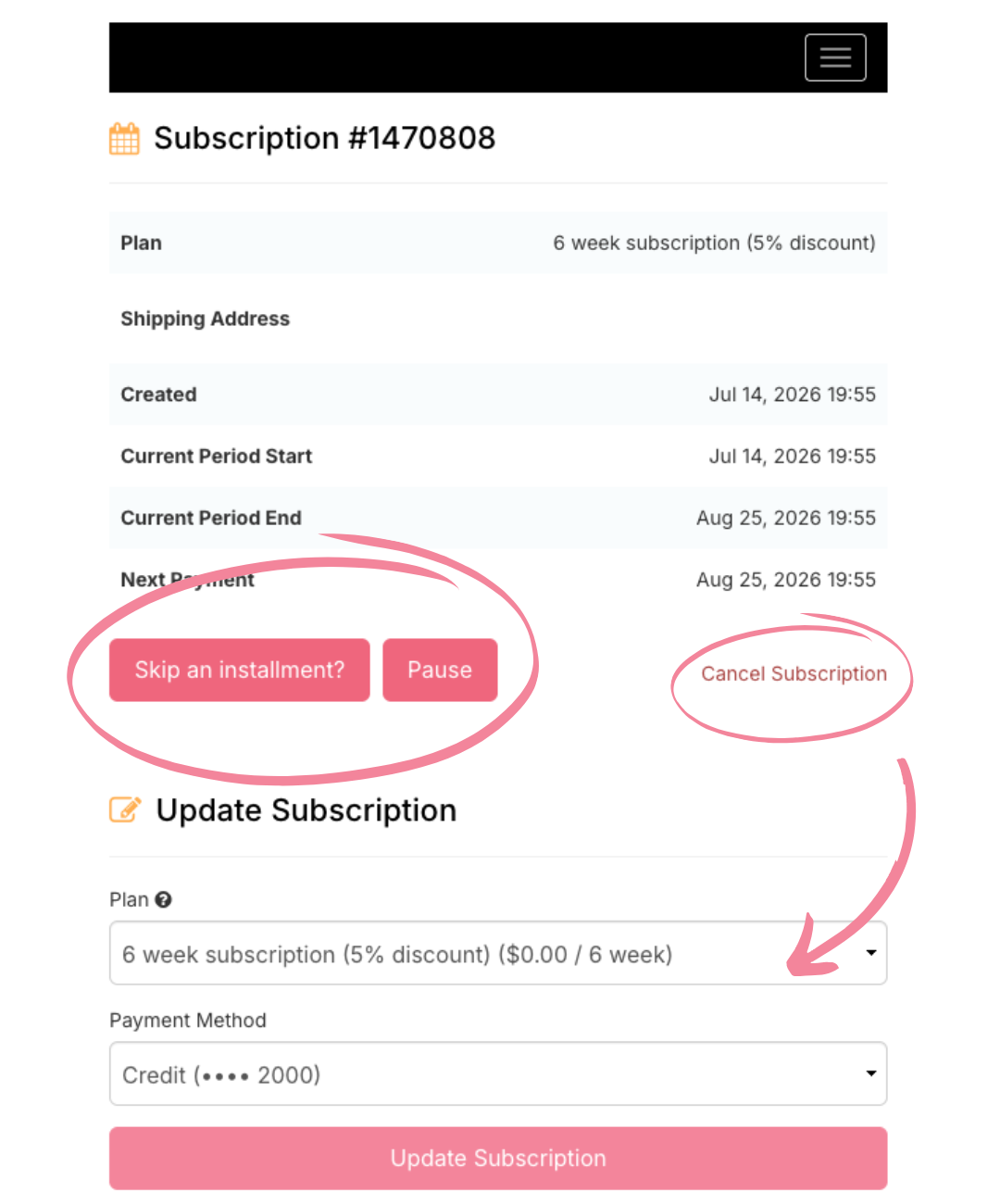
- Once you've selected your specific subscription, you can pause, cancel, change your order frequency, and payment method.